Introducing TreadMate: Take Control of Your Treadmill

Table of Contents
TreadMate: A Better Way to Control Your Treadmill #
I’ve been using a Sportstech sWalk Lite treadmill at my standing desk for a while now, and while the hardware is great, I found the official app lacking. So I built TreadMate, a native iOS app that gives me more control and better insight into my walks.
What is TreadMate? #
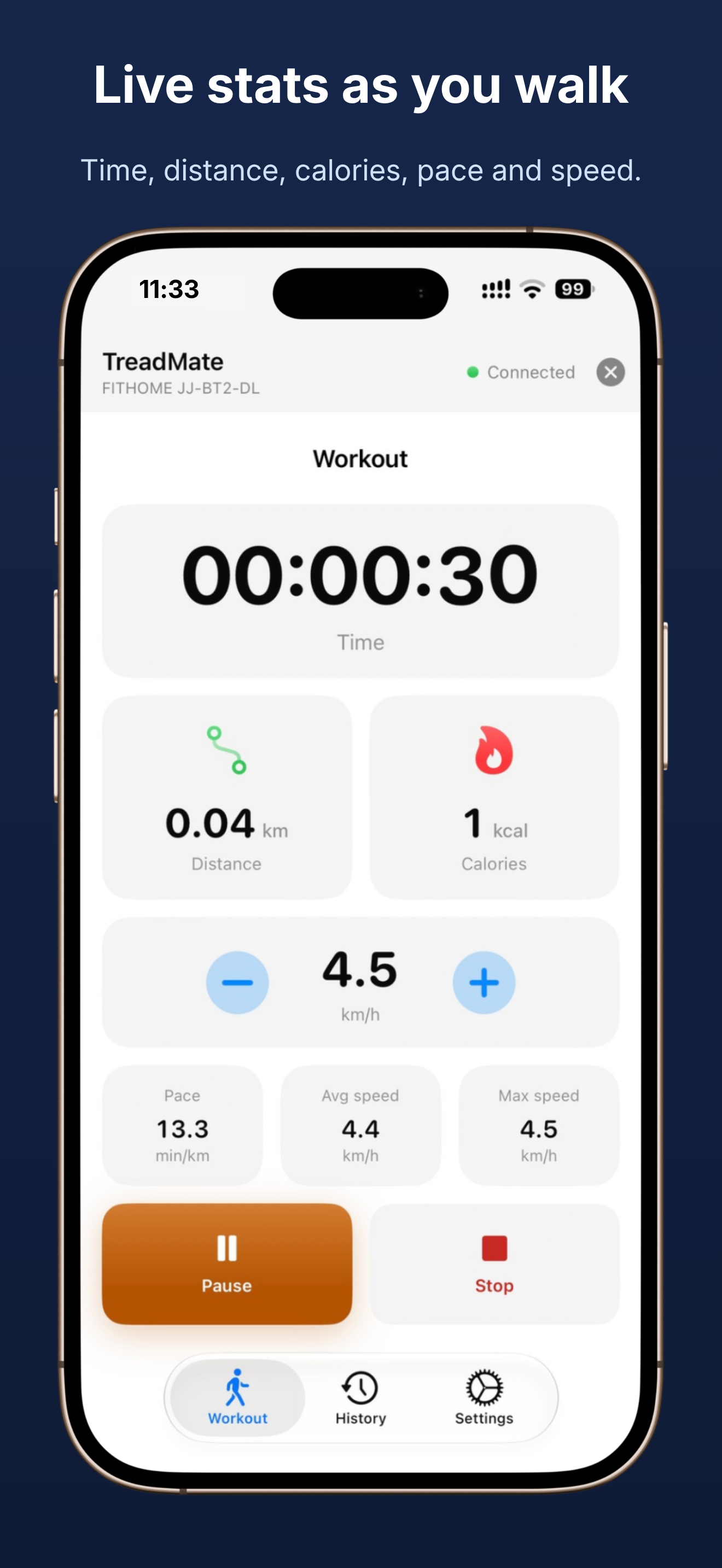
TreadMate connects to your treadmill over Bluetooth using the standard FTMS (Fitness Machine Service) protocol. With it you can:
- Start, pause, resume and stop the belt
- Change speed in 0.5 km/h steps
- Watch live time, distance, calories, pace and speed
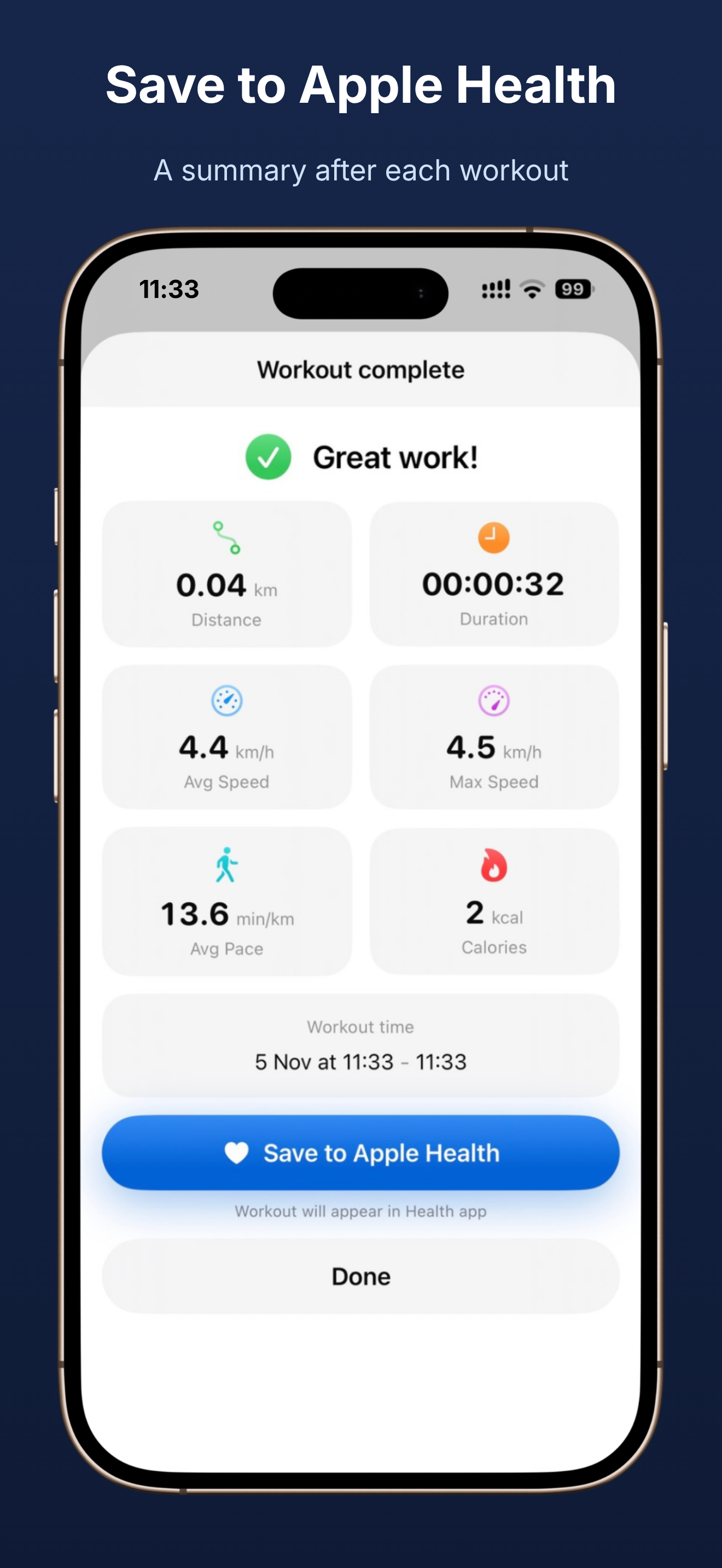
- Save finished walks to Apple Health, one at a time or automatically
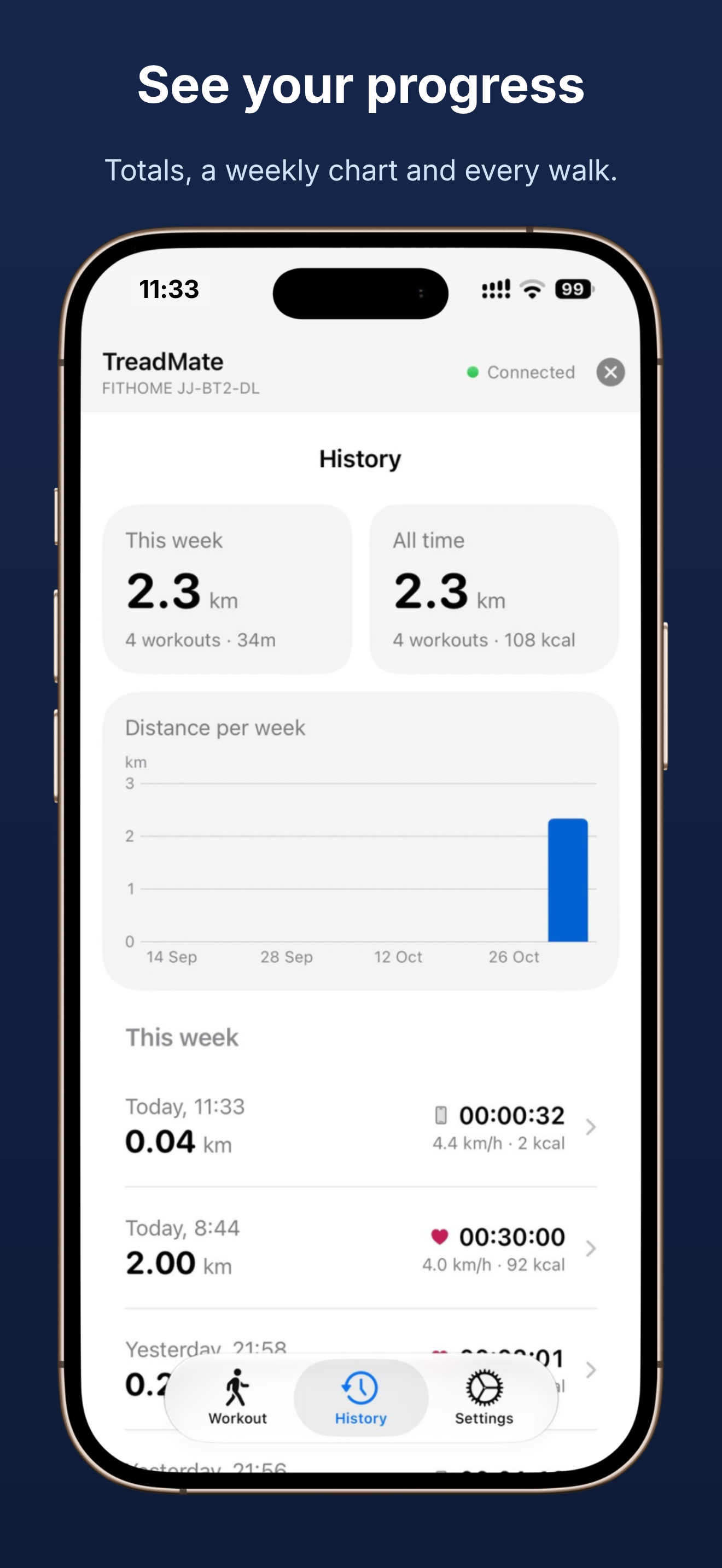
- Browse your history with totals and a weekly chart
It also notices when you start or stop with the physical remote, so the two work together.
Why Build This? #
What finally pushed me to build my own app was the paywall. The official app wanted a subscription before it would sync a walk to Apple Health. That’s a workout I had just done, on a treadmill I had already paid for, and the data wasn’t going anywhere else. Tracking your own walks shouldn’t cost extra.
I figured I could do better, so I set out to build something that:
- Lives on my phone: no extra hardware, and it works the way iOS apps should
- Shows better statistics: more detail than the official app, and a history I can browse
- Talks to Apple Health: so walks count towards my activity rings
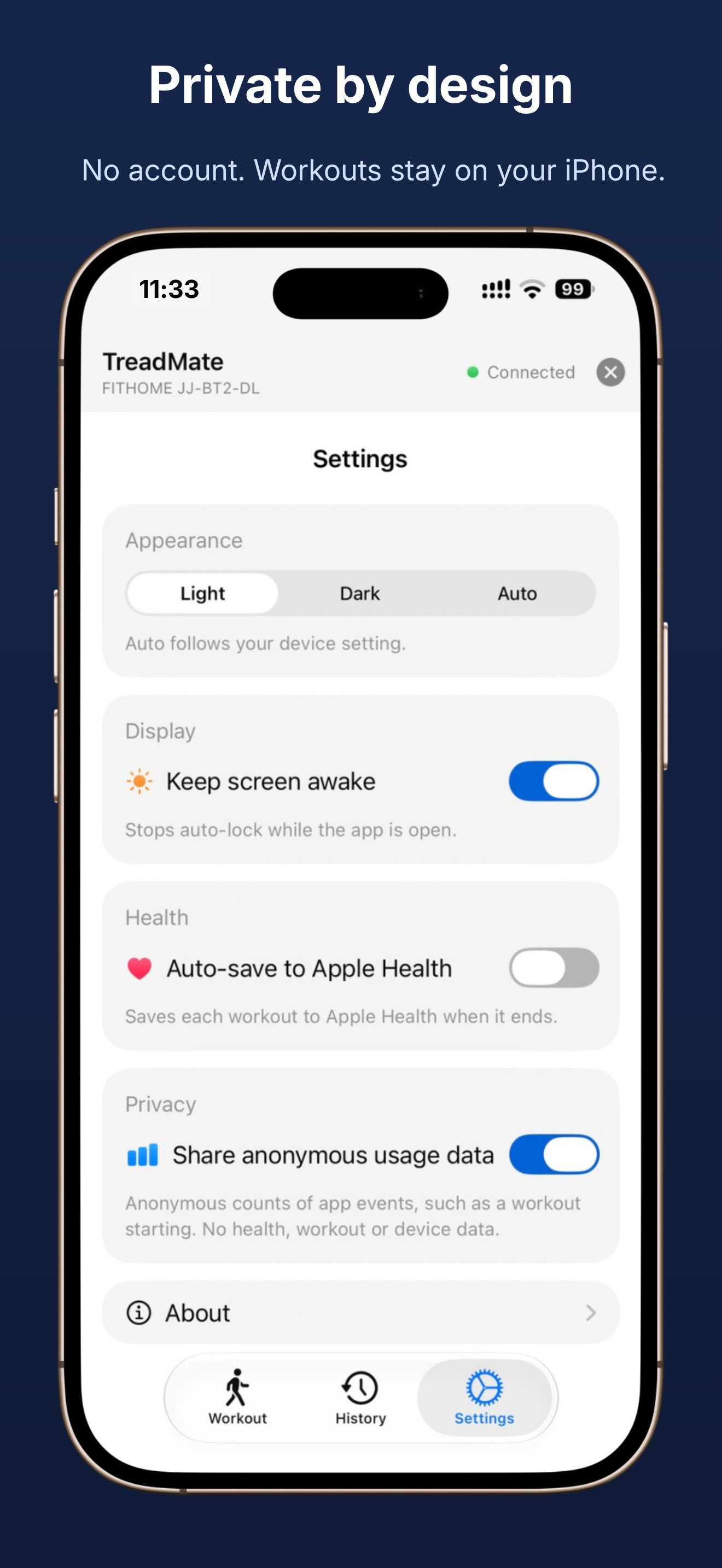
- Respects privacy: no account, workouts stay on the iPhone, and the only thing it shares is anonymous usage counts that you can turn off
Under the Hood #
TreadMate is built with SwiftUI and CoreBluetooth. I started out expecting to reverse engineer some proprietary protocol, but after some investigation it turned out the treadmill just uses FTMS, the standard Bluetooth Fitness Machine Service. That’s good news: any treadmill that supports FTMS should work, not only WalkingPad, and there’s nothing hacky going on.
A Note on Security #
The only issue I’ve found is that there is no authentication. FTMS doesn’t require you to pair or prove who you are, so anyone within Bluetooth range who has an app like TreadMate can connect to your treadmill and control it. That includes starting the belt and changing the speed.
For a treadmill in a home office that’s a small risk. Bluetooth range is short and you would need to be standing nearby, but it’s worth knowing about. If you share a space with other people, or just want to be careful, make sure nobody is connected to the treadmill before you step on it, and keep an eye on the belt speed.
Get It #

Check out the project page for more details, the changelog and the privacy policy.
Why Walking Desks? #
Walking slowly (1-2 km/h) while working helps me stay active through long work days at my desk, keep my energy and focus up, and hit daily step goals without dedicated exercise time. If you’re considering a walking desk, I highly recommend it, and hopefully TreadMate makes the experience even better.
Questions or suggestions? Send me an email.